
Clean My Links™ enables the removal of tracking and unnecessary cruft from web URLs before Hookmark copies or hooks them.
What This Does
When enabled, any link you copy or hook with Hookmark is automatically cleaned and reduced to a canonical form.
The destination is unchanged—only unnecessary or tracking-related URL components are removed.
This helps to:
- protect your privacy,
- keep links short, readable, and Mac-clean, and
- ensure Hookmark consistently recognizes the same resource as the same link.
What This Is Not
Clean My Links is not a link shortener.
It does not change the domain, add redirects, or rely on third-party services.
Clean My Links Settings tab
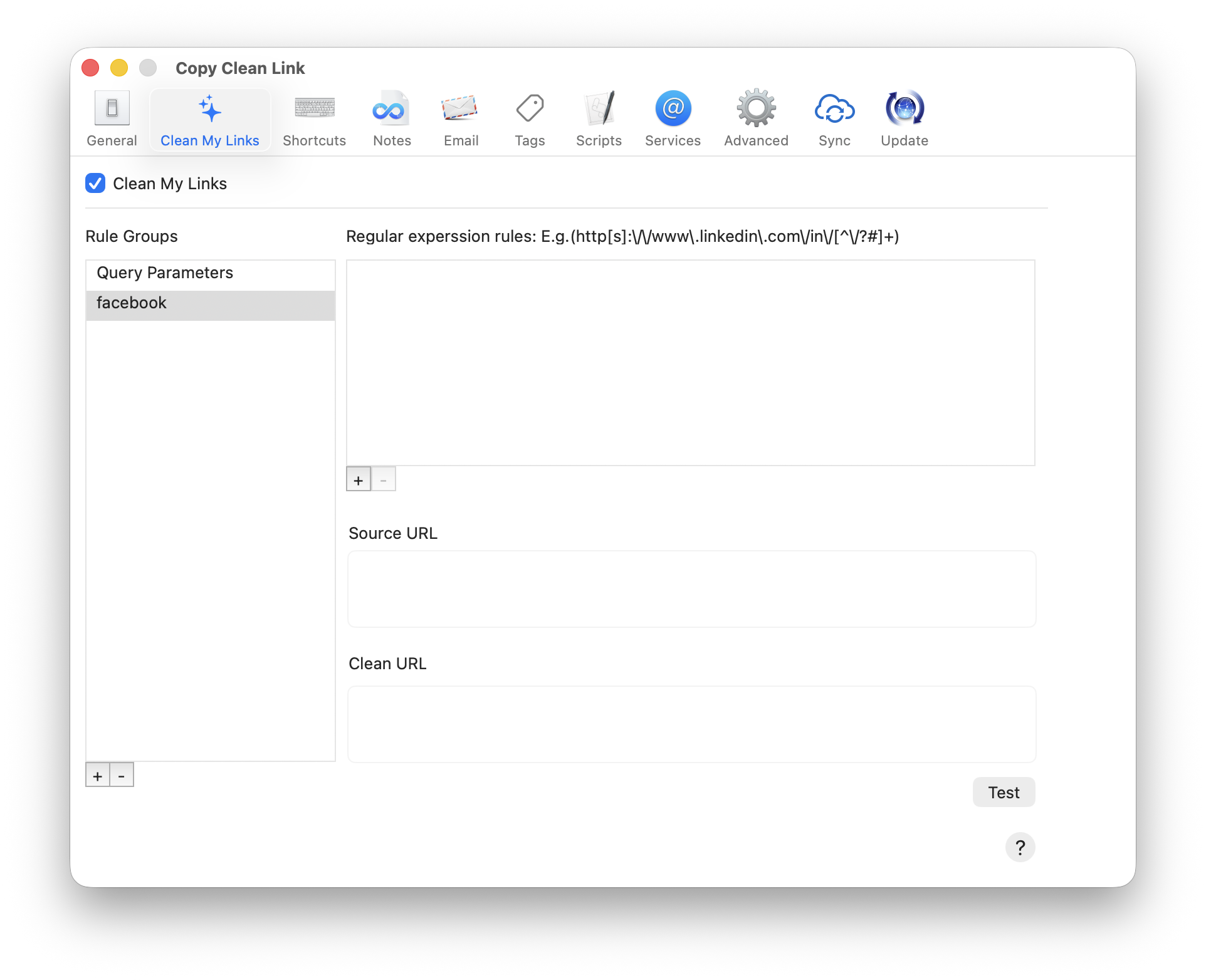
When adding a new rule, you can test it by pasting a source URL into the Source URL field and clicking the Test button.
The result will appear in the Clean URL field.
This allows you to verify that a rule behaves as expected before relying on it.
Rules
Clean My Links removes common tracking and attribution query parameters—such as those used for marketing campaigns and analytics (e.g., utm_*, ref, fbclid)—that are not required to reach the destination page.
Pro users can view and manage the custom rules they’ve added.
If a URL cannot be cleaned safely, it is left unchanged.
Safety & Reversibility
Clean My Links affects only links that Hookmark copies or hooks.
They do not modify:
- the original web pages,
- links already stored elsewhere,
- links or hooks that are already in Hookmark’s database, or
- any content outside of Hookmark itself.
You can disable Clean My Links at any time, adjust or remove custom rules, and use the Test function to experiment safely.
Adding Custom Rules (Pro)
Advanced users can add custom rules to clean URLs for specific domains.
To add a new group of rules for a particular domain:
- Click the
+button at the bottom left. - Enter a domain name, such as
linkedin.com.
You can then add one or more rules for that domain using the + button on the right. The user interface provides an example of a regular expression for a simple case.
You can test a rule by pasting a source URL and clicking Test to confirm that the cleaned URL is what you expect.
If you’re new to regular expressions or want a refresher, see:
👉 Regular expressions – MDN Web Docs